
Tech
Kite Software: A Complete Guide to Features, Benefits, Pricing, and Calculations

Published
7 months agoon
By
Julliet
Kite software is a modern trading platform designed for investors and traders who want a fast, reliable, and user-friendly interface to buy and sell financial instruments. Developed by Zerodha, Kite has become one of the most widely used web-based trading platforms in India due to its speed, clean interface, advanced charting tools, and low brokerage structure. This article explores Kite in detail—its features, advantages, limitations, pricing, practical trading calculations, and frequently asked questions.
What Is Kite Software?
Kite is a web and mobile trading platform that allows users to trade stocks, commodities, currencies, and derivatives. Unlike traditional trading terminals that require installation, Kite runs directly in a browser or mobile app, making it accessible from almost any device. Its lightweight architecture ensures fast order execution, which is critical in markets where price movements happen in milliseconds.
The platform is designed for both beginners and professional traders. Beginners benefit from its intuitive interface and educational resources, while experienced traders appreciate its advanced charting, indicators, and API integrations.
Key Features of Kite Software
1. Minimalist User Interface
Kite’s design focuses on simplicity. It removes clutter and highlights essential information such as price charts, order books, and positions. This improves decision-making speed and reduces confusion during volatile market conditions.
2. Advanced Charting Tools
The platform offers interactive charts powered by TradingView and ChartIQ. Traders can use:
- Multiple time frames
- Technical indicators
- Drawing tools
- Pattern analysis
These features allow users to perform technical analysis without relying on external software.
3. Lightning-Fast Order Execution
Speed is crucial in trading. Kite’s infrastructure processes thousands of orders per second, helping traders avoid slippage (difference between expected and executed price).
4. Market Depth and Analytics
Users can view real-time bid/ask prices, market depth, and trading volumes. This data helps traders analyze supply and demand before entering a trade.
5. Multi-Asset Trading
Kite supports trading in:
- Equity
- Futures & options
- Commodities
- Currencies
This makes it a comprehensive platform for diversified portfolios.
6. Cloud-Based Access
Because it is web-based, your settings, watchlists, and preferences sync automatically across devices.
Benefits of Using Kite Software
Ease of Use
Even first-time traders can learn the interface quickly. The dashboard is straightforward and avoids technical jargon.
Cost Efficiency
Kite is known for its discount brokerage model, which typically charges low or flat fees per trade, making it attractive for active traders.
Reliability
The platform is built with scalable infrastructure designed to handle peak trading hours.
Integration Support
Advanced users can integrate Kite with third-party tools or algorithms using APIs, allowing automated trading strategies.
Limitations of Kite Software
While Kite is powerful, it is not perfect. Some drawbacks include:
- Requires stable internet connection
- Advanced features may overwhelm beginners initially
- Occasional downtime during extreme market volatility
- Limited fundamental analysis tools compared to specialized research platforms
Understanding these limitations helps traders prepare backup strategies, such as placing stop-loss orders.
Brokerage and Cost Calculation Example
Understanding costs is essential because brokerage and taxes affect profits. Let’s calculate a sample trade.
Example Trade
You buy 100 shares of a stock at ₹500 and sell at ₹520.
Step 1: Calculate Investment
100 × 500 = ₹50,000
Step 2: Calculate Selling Value
100 × 520 = ₹52,000
Step 3: Gross Profit
₹52,000 − ₹50,000 = ₹2,000
Step 4: Brokerage Charges
Assume flat brokerage = ₹20 per order
Buy order = ₹20
Sell order = ₹20
Total brokerage = ₹40
Step 5: Taxes and Charges (Example Estimate)
- STT + GST + exchange fees ≈ ₹60
Step 6: Net Profit
₹2,000 − (₹40 + ₹60) = ₹1,900
This example shows how transaction costs slightly reduce profit. Traders should always factor charges into strategy planning.
Who Should Use Kite?
Kite software is suitable for:
- Day traders who need fast execution
- Swing traders using technical analysis
- Long-term investors monitoring portfolios
- Algorithmic traders using APIs
- Beginners looking for a simple platform
Tips for Using Kite Effectively
- Use Stop-Loss Orders – Protects you from sudden price drops.
- Customize Watchlists – Track only relevant stocks.
- Practice with Small Trades – Learn the platform before large investments.
- Use Technical Indicators Wisely – Avoid overloading charts.
- Monitor Market Depth – Helps identify buying or selling pressure.
Security and Safety
Kite includes multiple security layers:
- Two-factor authentication
- Encrypted connections
- Session timeouts
- Device login tracking
These features protect accounts from unauthorized access. However, users should also follow best practices such as strong passwords and avoiding public Wi-Fi when trading.
Comparison With Traditional Trading Platforms
| Feature | Kite | Traditional Terminals |
|---|---|---|
| Installation | Not required | Required |
| Speed | Very fast | Moderate |
| Interface | Simple | Complex |
| Cost | Low | Higher |
| Accessibility | Any device | Usually single device |
This comparison highlights why many traders prefer modern web platforms like Kite.
Future of Kite Software
As financial technology evolves, trading platforms are expected to integrate artificial intelligence, predictive analytics, and advanced automation. Kite is already moving toward these innovations through API support and analytical tools. In the future, traders may benefit from real-time AI trade suggestions, portfolio optimization algorithms, and deeper market insights.
(FAQs)
1. Is Kite software free?
Opening and maintaining an account may involve certain fees depending on the broker, but the platform itself is typically provided free to registered clients.
2. Can beginners use Kite?
Yes. Its interface is beginner-friendly, and users can start with small trades to learn gradually.
3. Does Kite work on mobile?
Yes. It is available on Android, iOS, and web browsers.
4. Is Kite suitable for day trading?
Yes. Its fast order execution and real-time data make it ideal for intraday trading.
5. Does it support technical indicators?
Yes. Kite offers dozens of indicators such as RSI, MACD, moving averages, Bollinger Bands, and more.
6. What internet speed is required?
A stable connection is more important than speed. Even moderate broadband works well, but unstable networks may cause delays.
7. Is Kite safe for trading?
Yes, it uses encryption and multi-factor authentication. Still, users should follow personal security precautions.
Final Thoughts
Kite software has transformed online trading by combining simplicity, speed, and powerful analytics in a single platform. Its clean design makes it approachable for beginners, while its advanced tools satisfy professional traders. With low costs, cloud-based convenience, and strong security, it stands out as one of the most practical trading platforms available today.
You may like
Tech
Best AI Tools for Small Businesses in 2026 | Top AI Software
Published
3 days agoon
September 14, 2026By
Julliet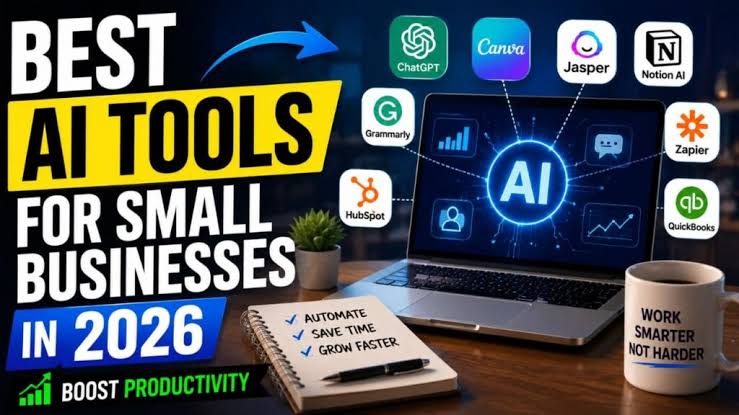
Recent studies show that seventy eight percent of small businesses using smart automation save at least ten hours of work every week. That extra time lets owners focus on finding new clients and improving their core services instead of doing endless paperwork. Finding the best AI tools for small businesses in 2026 has become the easiest way to compete with large corporations without spending a fortune. Modern software gives small teams the leverage they need to get more work done each day.
Technology that used to cost thousands of dollars is now available for just a few dollars each month. Small companies can now run advanced marketing campaigns, respond to customer inquiries instantly, and balance their books with little manual effort. The best AI tools for small businesses in 2026 are built specifically for non technical users. You do not need a computer science degree or a large budget to set up these systems.
Why Small Businesses Must Adopt Smart Tools Today
Running a local shop or an online business requires you to wear many different hats. You have to handle sales, manage inventory, talk to customers, and track daily spending. When you use the best AI tools for small businesses in 2026, you can hand off the most repetitive tasks to smart algorithms. This shift allows you to spend more energy on high value activities that actually grow your revenue.
Hiring extra full time staff is expensive and creates additional management overhead. Smart software works twenty four hours a day without taking breaks or getting sick. Small teams can handle twice the workload without feeling burned out. Adding top AI software to your daily routine keeps your operating expenses low while boosting your total output.
Top Generative Writing and Content Creation Tools
Content creation is one of the biggest time drains for small business owners. Writing blog articles, social media captions, email newsletters, and product descriptions can eat up hours every week. The best AI tools for small businesses in 2026 include writing assistants that produce clean first drafts in seconds. These programs help you maintain an active online presence without draining your creative energy.
ChatGPT and Claude remain two of the most capable writing assistants available for small teams. You can give them rough notes about a new product, and they will turn those points into engaging sales copy. They can also rewrite customer emails, fix grammar mistakes, and draft standard operating procedures. Using these platforms saves hours of staring at a blank screen.
Jasper and Copy dot ai specialize in marketing content specifically. These tools offer templates for social media ads, landing pages, and search engine articles. They can match your specific brand voice so all your marketing looks consistent across every channel. You simply select a template, add a few bullet points about your offer, and review the generated text.
Canva Magic Studio handles the visual side of content marketing without requiring graphic design skills. It creates social banners, edits product photos, and builds presentation slides with simple text instructions. You can remove backgrounds from product shots with one click and create custom graphics in minutes. Small companies can now produce polished visual marketing materials that look like they came from an expensive agency.
Smart Customer Support Software for Instant Service
Customers today expect fast responses to their questions no matter what time they reach out. If someone visits your website at midnight with a question about your pricing, waiting until morning could mean losing a sale. The best AI tools for small businesses in 2026 include customer support platforms that chat with buyers instantly. These tools solve common problems, capture contact details, and route complex questions to the right team members.
Tidio provides an easy chat widget that connects directly to your online storefront or website. It uses smart bots to answer repetitive questions about order tracking, store hours, and refund policies. The system greets new visitors, offers discount codes, and collects email addresses for future marketing campaigns. Most small businesses can set up Tidio in less than thirty minutes.
Intercom offers more advanced support automation for growing companies. Its smart bot reads your existing help documents and website pages to answer questions accurately. It speaks multiple languages and handles customer issues across email, social media, and live chat. When a customer needs human assistance, the bot transfers the entire conversation history to your team so the buyer never has to repeat themselves.
Automated Accounting and Financial Management Platforms
Tracking expenses, sending invoices, and preparing for tax season can cause endless headaches for business owners. The best AI tools for small businesses in 2026 eliminate tedious manual data entry from your bookkeeping routine. Modern financial software reads digital receipts, categorizes transactions, and alerts you to potential billing errors automatically.
QuickBooks Online uses smart algorithms to match your bank transactions with open invoices and receipts. You can snap a photo of a paper receipt on your phone, and the app extracts the vendor, date, and dollar amount instantly. The software also forecasts your cash flow based on previous spending patterns and upcoming bill due dates. This feature helps you plan major purchases and avoid unexpected cash shortages.
Xero is another top AI software option that makes bookkeeping simple for small teams. It reconciles bank accounts in bulk and spots unusual transactions that need your attention. The platform sends automated invoice payment reminders to clients who are late on their bills. Automating these reminders helps you get paid faster without having to send awkward emails manually.
AI Sales and Marketing Platforms That Drive Revenue
Finding new clients and keeping existing customers engaged requires consistent communication. The best AI tools for small businesses in 2026 can track sales leads, write personalized outreach messages, and optimize advertising budgets. These systems ensure that no sales opportunity gets lost in a messy inbox.
HubSpot offers a complete sales and marketing platform with built in smart tools. It tracks when prospects open your emails, click links, or view your pricing page. The software scores leads based on their activity, showing your sales reps exactly who to call first. It even drafts custom email responses based on previous interactions with each prospective client.
Klaviyo and MailerLite give ecommerce stores and service businesses powerful email marketing automation. These platforms analyze purchase histories and website visits to send personalized product recommendations. They automatically choose the best time of day to deliver emails to each individual subscriber. This level of personalization leads to higher click rates and more sales from your existing contact list.
Quick Comparison of Top Software for Small Teams
Choosing the right software becomes much easier when you compare the top options by their core strengths. Every tool solves a different business problem, so matching software to your immediate needs is critical. Here is a helpful breakdown of the top platforms available this year:
- ChatGPT: Best for general writing, summarizing research, and brainstorming new ideas.
- Canva Magic Studio: Best for creating graphics, editing product photos, and building presentation slides.
- Tidio: Best for website live chat, automated lead capture, and answering common customer questions.
- QuickBooks Online: Best for automated receipt scanning, bank reconciliation, and cash flow forecasting.
- HubSpot: Best for tracking sales pipelines, scoring prospective leads, and managing customer relationships.
Project Management and Daily Team Productivity Tools
Keeping your team aligned on project goals can be difficult when everyone is busy with daily tasks. The best AI tools for small businesses in 2026 include project management tools that organize tasks and summarize progress automatically. These platforms reduce the need for endless status update meetings.
Notion gives small teams a flexible workspace for notes, company wikis, and project boards. Its built in smart assistant can turn messy meeting notes into clear action items and project timelines. It can also translate documents, generate project briefs, and find answers across all your company files. Having all your information in one central hub keeps everyone on the same page.
ClickUp uses smart automation to assign tasks, set due dates, and write project updates. When you finish a task, the platform updates related project timelines and notifies team members who are waiting on your work. It also writes daily summaries of completed work so managers know what got done without micromanaging. This visibility keeps projects moving forward smoothly.
Otter dot ai and Fathom transform how small teams handle video meetings and phone calls. These tools join your online video sessions to record, transcribe, and summarize the conversation. They generate a list of key decisions and action items within seconds after the call ends. Team members who miss a meeting can read a two minute summary instead of watching an hour long recording.
How to Choose the Right AI Tools on a Budget
Investing in too many software subscriptions at once will drain your cash and confuse your employees. You must be strategic and choose only the tools that address your biggest bottlenecks. The best AI tools for small businesses in 2026 offer free trials or affordable starter tiers that let you test features before paying.
Start by listing the daily tasks that take up the most time for you and your staff. If your team spends three hours a day answering the same customer questions, focus on chat software first. When your biggest struggle is finding new leads, invest in sales automation software instead. Solving one major pain point at a time prevents software overwhelm and delivers immediate value.
Check how well new software connects with the tools you already use every day. Leading platforms offer pre built integrations with Gmail, Slack, Shopify, WordPress, and popular calendar apps. When your tools share data seamlessly, you spend less time copying information between different browser tabs. Always read user reviews from other small business owners to verify that setup is simple.
Practical Steps to Implement New Software Without Stress
Rolling out new software requires careful planning so your daily business operations do not get disrupted. Start by picking one person on your team to test the software and learn its main features. This internal champion can create simple instructions and help other team members when they have questions.
Schedule short training sessions to show your employees how the new tool helps them. Explain that top AI software is meant to eliminate tedious busywork, not replace their jobs. When employees realize the tool saves them time and reduces stress, they adopt it much faster.
Run the new tool alongside your existing process for two weeks to make sure everything works correctly. For example, check automated customer chat logs to confirm the bot gives accurate answers to shoppers. Once you feel confident in the software, you can fully switch over to the automated workflow.
Protecting Your Business Data and Client Privacy
Security should always be top of mind when adopting smart business software. Small companies are frequent targets for online data breaches, so protecting client information is essential. The best AI tools for small businesses in 2026 follow strict security protocols and encrypt your data both in transit and at rest.
Never enter sensitive customer financial data, passwords, or personal health records into public artificial intelligence models. Check the privacy policy of any software before signing up to see how they handle your inputs. Reputable software providers state clearly that they do not use your private company data to train public models.
Set up two factor authentication for every employee account across all your software tools. Limit administrative access so team members only see the data they need to perform their specific jobs. Review user permissions every quarter and remove access for former employees immediately.
Common Mistakes Small Business Owners Must Avoid
One frequent mistake is trusting automated tools without reviewing their work. Generative software can produce incorrect facts or sound unnatural if you let it run on complete autopilot. Always have a human review marketing materials, legal documents, and financial reports before finalizing them.
Another common pitfall is paying for advanced features that your company does not need yet. Many small businesses sign up for enterprise tiers when basic plans would work perfectly well. Start with the lowest paid tier and only upgrade when your business growth requires extra capacity.
Failing to train your staff properly is another reason software rollouts fail. If your employees do not understand how to use a tool, they will ignore it and go back to old manual habits. Regular check in meetings during the first month ensure everyone feels comfortable with the new system.
Real World Workflow Examples for Small Teams
Looking at real world examples helps show how different software tools work together in practice. Consider a local home services contractor who uses smart tools to manage client inquiries. When a homeowner fills out a contact form, an automated bot qualifies the lead and books a consultation directly on the contractor calendar.
After the consultation, the contractor uses a mobile voice tool to record notes about the job. The software turns those spoken notes into an itemized estimate and sends it to the client for approval. Once the job is done, the accounting software creates an invoice, processes payment, and requests an online review automatically. This entire workflow happens without the contractor spending hours at a desk.
An ecommerce clothing boutique can use a similar automated workflow to increase sales. The boutique uses Canva Magic Studio to design social media ads and Klaviyo to run personalized email campaigns. Website visitors get instant help from Tidio chat, which answers sizing questions and offers discount codes. This connected system allows a two person team to run a store that serves thousands of customers nationwide.
Measuring Your Return on Software Investment
Tracking the return on your software investment ensures you only keep tools that actually help your business grow. Calculate how many hours each software tool saves your team every single month. Multiply those saved hours by your team hourly wage to see your direct financial savings.
Compare your total software costs against the additional revenue generated by automated marketing and sales outreach. If a fifty dollar sales tool helps you close two extra deals each month, the subscription pays for itself many times over. Cancel any software tool that fails to save time or increase revenue after ninety days of active use.
What to Expect from Small Business Software Moving Forward
Software developers are constantly releasing updates that make business tools even easier to operate. In the near future, business tools will handle multi step projects across different departments with minimal human direction. For example, a single voice command might update inventory, draft supplier orders, and send customer notices simultaneously.
Voice interfaces and conversational controls will become the standard way business owners interact with their computers. You will simply tell your software what you want to achieve, and the system will carry out the necessary tasks across all your apps. Small businesses that learn to use top AI software today will be well prepared to take advantage of these future improvements.
Upgrade Your Business Operations Today
The best AI tools for small businesses in 2026 level the playing field for growing companies everywhere. You do not need a massive staff or deep pockets to run a fast, modern, and highly profitable business. Automating customer service, marketing, bookkeeping, and team tasks gives you the freedom to focus on big picture growth.
Take a close look at your daily business operations right now and pick your biggest bottleneck. Choose one affordable software tool from this guide, start a free trial, and set up your first automated workflow today. Taking this simple step will save you valuable hours every week and give your small business a powerful competitive edge.
Tech
Windstream: Complete Guide to Internet, Phone, TV Services, Plans, and Customer Support
Published
1 month agoon
August 16, 2026By
Julliet
Introduction: Why Millions of Americans Rely on Windstream
More than 18 million people across the United States live in areas where fast, reliable internet is hard to find. Windstream, now widely known as Kinetic by Windstream, serves many of those people. It is one of the largest internet and phone providers in rural and suburban America, covering over 18 states.
If you have heard of Windstream but do not know much about what they offer, you are in the right place. This guide covers their internet, phone, and TV services in plain language. You will learn about their plans, prices, speeds, and how to reach their support team when something goes wrong.
Whether you are a current customer or thinking about signing up, this guide gives you the full picture so you can make a smart decision.
What Is Windstream and Who Do They Serve?
Windstream Communications started in 2006 after the merger of ALLTEL’s wireline division and Citizens Communications. Over the years, it grew into a major telecom company. Today, most of its residential services are branded under the name Kinetic by Windstream.
The company focuses heavily on rural and small town communities. These are places where big cable companies like Comcast or Charter often do not provide service. For many households in states like Georgia, Iowa, Kentucky, and Oklahoma, Windstream is one of the few options available.
Windstream also offers business services for small businesses and large enterprises. Their business products include internet, phone systems, cloud services, and SD-WAN networking. However, this guide focuses mainly on their residential services.
Windstream Internet Service: What You Need to Know
Windstream offers two main types of internet connections: fiber and DSL. The type available to you depends on your location.
Fiber Internet (Kinetic Fiber)
Kinetic Fiber is Windstream’s fastest and most reliable internet option. It uses fiber optic cables to deliver speeds that can reach up to 1 Gigabit per second (1 Gbps). Fiber internet is much faster and more stable than older DSL technology.
Fiber connections are symmetrical, which means you get the same download and upload speeds. This is great for people who work from home, video call regularly, or upload large files. If Kinetic Fiber is available in your area, it is the best option to choose.
The biggest downside is availability. Windstream is still expanding its fiber network, and it is not yet available everywhere they serve. Rural areas are often still limited to DSL service.
DSL Internet
DSL stands for Digital Subscriber Line. It runs over traditional copper phone lines and is slower than fiber. Windstream’s DSL speeds typically range from 25 Mbps to 100 Mbps, though actual speeds can vary based on how far you live from the network hub.
DSL is reliable enough for basic internet use like browsing, streaming standard definition video, and video calling. However, it may struggle if several people in your home use the internet at the same time for heavy tasks like 4K streaming or online gaming.
For households with no other option, DSL from Windstream is still a workable solution. It is better than satellite internet in many cases because it has lower latency.
Windstream Internet Plans and Pricing
Windstream’s pricing changes depending on your location and the technology available there. Here is a general look at what most customers can expect.
| Plan Type | Speed | Estimated Monthly Cost |
|---|---|---|
| DSL Basic | Up to 25 Mbps | $27 to $40/month |
| DSL Standard | Up to 100 Mbps | $40 to $55/month |
| Kinetic Fiber 200 | Up to 200 Mbps | $40 to $50/month |
| Kinetic Fiber 500 | Up to 500 Mbps | $55 to $65/month |
| Kinetic Fiber Gig | Up to 1,000 Mbps | $65 to $80/month |
These prices are approximate and may vary. Windstream sometimes runs promotions, especially for new customers. Always check the official Windstream website or call their sales team for the most current pricing in your zip code.
One important thing to note is that Windstream does not typically charge data overage fees. Most of their plans come with unlimited data, which is a real benefit for heavy internet users.
Is Windstream Internet Fast Enough for Your Home?
Speed is one of the most common questions people ask before choosing an internet plan. The answer depends on what you do online and how many people use the connection.
For a single person or couple who browses the web, checks email, and watches Netflix, a plan with 25 to 100 Mbps is usually enough. If you have a family of four with kids who stream, game, and attend video school classes, you will want at least 200 Mbps. Households with very heavy usage or multiple people working from home should consider the Gig plan if fiber is available.
Kinetic Fiber gives the best performance across the board. It handles multiple users at once without slowing down. DSL plans can feel sluggish during peak hours when many people in your neighborhood are online.
Windstream Phone Service: Home and Business Options
Windstream has offered home phone service for decades. Their residential phone plans come with standard features that most people expect from a landline service.
Residential Phone Plans
Windstream’s home phone plans include unlimited local calling in most areas. Some plans also include long distance calling within the United States. Features like voicemail, caller ID, call waiting, and three-way calling are often included or available as add-ons.
Home phone plans from Windstream can work as standalone services or as part of a bundle. Bundling your phone with internet often saves you money compared to buying each service separately. The exact monthly cost for a standalone phone plan usually falls between $20 and $35 depending on your area and the features you choose.
For people who still rely on a landline for safety reasons, medical alert systems, or just preference, Windstream’s phone service is a solid choice. Their copper network is widespread, especially in rural communities.
Business Phone Service
Windstream offers more advanced phone options for businesses. These include hosted VoIP (Voice over Internet Protocol) systems, virtual PBX systems, and SIP trunking. These tools allow businesses to manage calls more professionally without investing in expensive hardware.
Business phone plans scale from a single line for a small shop to hundreds of lines for a large call center. Windstream also provides unified communications features that combine voice, messaging, and video calls into one platform.
Windstream TV Service: What Are Your Options?
Windstream does not operate its own cable TV network the way Comcast or Spectrum does. Instead, they partner with DIRECTV to offer satellite TV to their customers.
Windstream and DIRECTV Partnership
Through this partnership, you can bundle DIRECTV satellite TV with your Windstream internet or phone service. DIRECTV offers hundreds of channels including local channels, sports, news, movies, and premium networks like HBO. Plans range from basic channel packages to large packages with over 330 channels.
Satellite TV does require a dish installed on your home. It works in most weather but can occasionally be disrupted by heavy storms. Monthly costs for DIRECTV through Windstream vary by the package you choose, typically starting around $64.99 per month.
Bundling DIRECTV with Windstream internet can sometimes get you a promotional discount. Ask a Windstream representative about current bundle deals when you call.
Streaming as an Alternative
Many Windstream customers skip traditional TV altogether and use streaming services instead. With a fast Kinetic Fiber connection, you can easily run services like Netflix, Hulu, Disney+, and YouTube TV without any problems.
If you are open to cutting the cord, a streaming-only setup with a solid Windstream internet plan may save you significant money each month. A Gig fiber plan plus a few streaming subscriptions often costs far less than a full cable TV package.
Windstream Bundle Deals: Save Money by Combining Services
Bundles are one of the best ways to lower your monthly telecom bill. Windstream offers several bundle combinations that can save you money compared to buying services separately.
Internet + Phone Bundle
This is the most common bundle for residential customers. You get home internet and a home phone line on one monthly bill. This simplifies your payments and usually comes with a small discount. It is a good fit for households that want both services without paying full price for each one.
Internet + TV Bundle (via DIRECTV)
You can combine Windstream internet with a DIRECTV satellite TV package. This gives you a single point of contact for billing questions, though keep in mind that DIRECTV is a separate company with its own service and support.
Internet + Phone + TV Triple Play
The triple play bundle includes all three services. It tends to offer the most savings in terms of bundled pricing. However, make sure you actually need all three before signing up. Paying for a TV package you rarely use is not a good deal no matter how low the bundle price looks.
Always read the fine print on any bundle. Ask how long the promotional price lasts and what the regular price will be after the promotional period ends.
Windstream Availability: Where Does It Serve?
Windstream operates in 18 states across the country. Their service area is primarily in the South, Midwest, and parts of the East.
States where Windstream is available include Alabama, Arkansas, Florida, Georgia, Iowa, Kansas, Kentucky, Minnesota, Mississippi, Missouri, Nebraska, New Mexico, New York, North Carolina, Ohio, Oklahoma, Pennsylvania, and Texas.
Even within these states, availability varies by county and city. Windstream’s fiber network is expanding but is not yet available everywhere. Some rural areas in their coverage zone are still served by DSL only. You can check availability by entering your zip code on the Windstream website.
Windstream Customer Support: How to Get Help
No internet service is perfect, and you will likely need help at some point. Windstream offers several ways to contact their customer support team.
Phone Support
The main Windstream customer service number is 1-800-347-1991. This line is available for both technical support and billing questions. Wait times can vary depending on the time of day. Calling early in the morning on weekdays tends to result in shorter wait times.
Online Support and My Account Portal
Windstream has a customer portal called My Windstream. Through this portal, you can pay your bill, check your service status, manage your account settings, and chat with a support agent online. It is available on both desktop and mobile devices.
The online chat feature is often faster than calling for simple questions. If you have a complex technical issue, speaking directly to a phone agent is usually more effective.
Windstream App
Windstream also has a mobile app available for both iOS and Android. The app lets you manage your account, pay bills, and get basic support. It is a convenient option for customers who prefer handling things from their phone.
Social Media Support
Windstream is active on Twitter and Facebook. Many customers find that reaching out on social media gets a fast response, especially for issues that have gone unresolved through normal channels. Their Twitter handle is .
Common Windstream Customer Complaints and How to Handle Them
Like any large telecom company, Windstream has its share of unhappy customers. Knowing the most common complaints can help you prepare and respond effectively if you run into problems.
Slow speeds during peak hours is a frequent complaint, especially from DSL customers. If your internet feels slow at night or on weekends, the issue may be network congestion. Contact support and ask about upgrading to a faster plan or switching to fiber if it is available in your area.
Billing errors are another common issue. Always review your monthly bill carefully. If you see a charge you do not recognize, call customer service and ask for a detailed explanation. Keep a record of your plan agreement so you have something to reference during disputes.
Outages and service interruptions happen from time to time. You can check Windstream’s outage map through their website or app to see if there is a known issue in your area. If an outage lasts more than 24 hours, you may be eligible for a service credit.
Windstream for Rural America: A Critical Service
One of the most important things Windstream does is provide internet access to rural communities that bigger providers ignore. In many small towns and farming communities, Windstream is the only wired internet option available.
Access to the internet in rural areas is not just about convenience. It affects education, healthcare, job opportunities, and economic growth. Students need internet to do homework and attend virtual classes. Farmers use it to manage crops and equipment digitally. Small business owners rely on it to reach customers online.
Windstream has been one of the major recipients of government funding through the FCC’s Connect America Fund. This money helps the company expand and improve service in areas where it would otherwise not be profitable to build new infrastructure.
If you live in a rural area and Windstream is your only wired option, it is worth staying up to date on their expansion plans. Kinetic Fiber is being extended to more communities each year
Windstream Business Services: A Quick Overview
While this guide is focused on home users, it is worth mentioning that Windstream is also a major player in business telecom. They provide internet, networking, cloud hosting, and security services to businesses of all sizes.
Their flagship business internet product offers dedicated fiber connections with guaranteed speeds. Unlike shared residential internet, business-grade connections come with service level agreements. This means Windstream promises a certain level of uptime and responds faster when there are problems.
For small businesses that need more than basic internet and phone, Windstream offers SD-WAN solutions, which help manage network traffic across multiple locations. They also offer cloud backup, managed security, and collaboration tools. If you own a business in a Windstream service area, it is worth getting a quote from their business sales team.
How Windstream Compares to Other Providers
It helps to know how Windstream stacks up against other major internet providers before making a decision.
Compared to AT&T, Windstream covers more rural areas but may have slower max speeds in some markets. AT&T’s fiber is very fast where available, but AT&T does not serve as many small towns. Compared to CenturyLink (now Lumen or Quantum Fiber), Windstream is similar in that both focus on DSL and fiber in underserved areas. The choice between them often comes down to which one serves your specific address.
Compared to satellite internet providers like HughesNet or Viasat, Windstream offers much lower latency. Satellite internet has a noticeable delay that makes video calls and gaming frustrating. Windstream’s DSL, though slower than cable or fiber, still performs better for real-time applications. If Starlink is available in your area and Windstream’s DSL speeds are too slow, Starlink may be worth comparing.
The bottom line is that Windstream fills an important gap in the market. For customers in areas it serves, it often represents the most practical wired internet option available.
Tips for Getting the Most Out of Your Windstream Service
There are simple steps you can take to improve your experience with Windstream.
Place your router in a central location. Wi-Fi signals weaken over distance and through walls. Putting your router in a central spot in your home improves coverage for all your devices. Avoid hiding it in a cabinet or closet.
Restart your modem and router regularly. Rebooting your equipment once a week or whenever speeds feel slow can fix many common issues. It clears the device’s memory and refreshes the connection.
Ask about equipment upgrades. Older modems and routers provided by Windstream may not support the fastest speeds on your plan. Ask their support team whether your equipment is up to date or if a replacement is available.
Monitor your bill every month. Promotional pricing often expires after 12 months. Being aware of your regular price helps you avoid bill shock and gives you a chance to renegotiate or switch plans before you are overcharged.
Windstream’s Future: Expansion and Improvements
Windstream emerged from bankruptcy in 2020 with a stronger financial foundation and a clearer strategy. Since then, the company has focused heavily on expanding its Kinetic Fiber network. They have committed to bringing fiber to millions more homes and businesses over the coming years.
Federal funding from programs like the Infrastructure Investment and Jobs Act has provided billions of dollars to expand broadband in rural America. Windstream is positioned to receive some of this funding, which will help them build fiber in areas that have never had access to high-speed internet before.
For current customers, this means better service is likely coming. For people who live in Windstream’s service area but currently only have DSL access, fiber may arrive in your neighborhood sooner than you think.
Conclusion: Is Windstream the Right Choice for You?
Windstream is not perfect, but it is a dependable provider for millions of Americans who have limited options. Their fiber internet product is genuinely fast and competitive with any major provider. Their DSL service, while not cutting-edge, gets the job done for basic internet needs. Their phone plans are solid, and their TV partnership with DIRECTV gives customers a full-service option if they want it.
If Kinetic Fiber is available in your area, it is a strong choice that can compete with cable and other fiber providers. If you are limited to DSL, Windstream may still be your best option depending on what else is available at your address.
The key steps are simple. Check availability at your address, compare the plans offered in your area, ask about current promotions, and read the terms carefully before signing up.
Tech
CI Distribution: Complete Guide to CI Distribution Services, Benefits, and Business Solutions
Published
1 month agoon
August 15, 2026By
Julliet
Introduction: Why Distribution Can Make or Break Your Business
Did you know that poor distribution is responsible for over 30% of lost sales in consumer goods markets every year? That is a huge number. When products do not reach the right people at the right time, businesses lose money, customers get frustrated, and brands suffer. This is exactly why choosing the right distribution partner matters so much.
CI Distribution is one of those partners that businesses across many industries rely on to move products efficiently, reach more customers, and keep supply chains running without costly delays. Whether you run a small startup or a large company, getting your products from point A to point B is not as simple as it sounds. You need systems, relationships, and logistics that work together smoothly.
This guide breaks down everything you need to know about CI Distribution. You will learn what it does, how it works, what services it offers, and why so many businesses trust it as a key part of their operations. By the end, you will know whether CI Distribution is the right fit for your business needs.
What Is CI Distribution?
CI Distribution is a wholesale and logistics distribution company that helps businesses get their products to retailers, resellers, and end customers Running out of stock at peak times. It acts as the bridge between manufacturers or brands and the people who actually sell or use those products. Think of it as the engine in the middle of your supply chain.
The company works across multiple product categories and serves a wide range of industries. This includes electronics, consumer goods, technology products, and more. CI Distribution has built a reputation for being reliable, fast, and flexible, which makes it attractive to businesses of all sizes.
What separates CI Distribution from a standard shipping company is that it offers much more than just moving boxes. It provides storage, inventory management, order processing, and sometimes even marketing support. This full service approach means businesses can rely on one partner instead of juggling multiple vendors.
How CI Distribution Works
At its core, CI Distribution follows a simple process. Brands or manufacturers send their products to CI Distribution warehouses. From there, CI Distribution stores, manages, and ships those products to buyers, retailers, or other partners based on orders that come in.
The company handles the logistics so that businesses do not have to worry about warehouse space, shipping carriers, or delivery timelines. Orders get processed, packed, and sent out in a structured way that keeps everything moving efficiently. This reduces errors and delays that often happen when businesses try to manage distribution on their own.
CI Distribution also uses technology to track inventory in real time. This means businesses always know how much stock they have, where it is located, and how quickly it is moving. That kind of visibility helps with planning and prevents both overstocking and running out of products at the wrong time.
Core Services Offered by CI Distribution
One of the biggest reasons businesses choose CI Distribution is because it offers a wide range of services under one roof. You are not just getting shipping. You are getting a complete distribution ecosystem.
Warehousing and Storage
CI Distribution provides warehouse space for businesses that do not have their own storage facilities. Products are kept in organized, secure environments where they can be tracked and retrieved quickly. This is especially helpful for small businesses that are growing and need scalable storage options without the high cost of leasing their own warehouse.
Order Fulfillment
When a customer or retailer places an order, CI Distribution picks, packs, and ships it. This process is handled with care to make sure the right products go to the right places in the right condition. Accurate fulfillment is critical because mistakes cost money and damage customer trust.
Inventory Management
Keeping track of stock is one of the hardest parts of running a product-based business. CI Distribution uses systems that monitor inventory levels automatically. When stock gets low, alerts go out so businesses can reorder in time. This reduces the risk of stockouts, which can kill sales momentum fast.
Retail Distribution
CI Distribution has connections with retailers and resellers that many businesses cannot access on their own. By working through CI Distribution, brands can get their products onto retail shelves faster and with less effort. This is a huge advantage for smaller brands trying to compete in crowded markets.
Digital and E-Commerce Fulfillment
As online shopping has grown, so has the need for fast and accurate e-commerce fulfillment. CI Distribution supports brands that sell through online platforms by integrating with their systems and shipping orders directly to customers. This keeps delivery times short and customers happy.
Who Uses CI Distribution?
CI Distribution serves a broad range of clients. From brand new startups launching their first product to established companies managing thousands of SKUs, the client base is diverse. This flexibility is one of the company’s greatest strengths.
Technology brands often rely on CI Distribution because electronics require careful handling, precise inventory tracking, and fast delivery to stay competitive in the market. Consumer product companies use it to reach retail networks that would take years to build independently. Small businesses use it because it gives them access to professional distribution infrastructure without the massive cost of building their own.
Resellers and retailers also benefit from working with CI Distribution because it makes ordering and receiving products simple and consistent. Having a reliable distributor means fewer surprises, fewer shortages, and better planning for everyone involved in the supply chain.
Key Benefits of Working With CI Distribution
There are real, measurable benefits to partnering with CI Distribution. These are not empty promises. They are outcomes that businesses regularly experience when they work with a strong distribution partner.
Save Time and Focus on Growth
When you outsource distribution to CI Distribution, your team gets time back. Instead of managing warehouse logistics, tracking shipments, and handling fulfillment errors, you can focus on building your product, marketing your brand, and serving your customers. Time is one of the most limited resources any business has, and using it wisely matters.
Lower Operating Costs
Running your own warehouse is expensive. You need to pay for space, staff, equipment, insurance, and systems. CI Distribution lets you share those costs across a network of clients, which brings your per-unit cost down significantly. For growing businesses, this cost efficiency is often the difference between profit and loss.
Faster Delivery to Customers
CI Distribution has established networks and carrier relationships that most businesses cannot build on their own. This means products move faster from warehouse to customer. Faster delivery leads to better customer reviews, fewer complaints, and more repeat purchases.
Access to More Markets
Because CI Distribution has retail connections and distribution channels already in place, businesses can enter new markets much faster than if they tried to do it alone. Getting onto store shelves or into new regions normally takes months or even years of relationship building. Working through CI Distribution shortens that timeline dramatically.
Scalability Without the Risk
Growth is good, but growing too fast without the right infrastructure can be a disaster. CI Distribution lets businesses scale up or down based on demand without being locked into fixed costs. During peak seasons like the holidays, you can process more orders without hiring extra warehouse staff or renting more space.
CI Distribution and Technology Integration
Modern distribution is not just about moving boxes. It is about data, systems, and smart decision making. CI Distribution embraces technology to make the entire supply chain smarter and more responsive.
Many businesses today use platforms like Shopify, Amazon, or other e-commerce systems to manage their sales. CI Distribution can connect directly with these platforms so that when an order comes in online, it is automatically sent to the warehouse for fulfillment. There is no manual data entry, no delays, and no extra steps for the business owner.
This kind of integration also improves accuracy. When humans have to manually process orders, mistakes happen. Automated systems reduce those errors significantly. For businesses processing hundreds or thousands of orders per day, even a small reduction in error rates saves a lot of money and keeps customers satisfied.
Real-time reporting is another major technology benefit. Business owners and managers can log in and see exactly how many units are in stock, which products are selling fastest, and where shipments are in transit. This data helps with forecasting, purchasing decisions, and overall business strategy.
CI Distribution for Small Businesses
Small businesses often assume that professional distribution services are only for big corporations with huge budgets. That assumption is wrong. CI Distribution actually offers a strong value proposition for small businesses specifically because it removes barriers that normally keep small companies from competing with larger ones.
A small business with a great product but no distribution infrastructure can partner with CI Distribution and immediately gain access to storage, fulfillment, and retail channels that took the big players decades to build. This levels the playing field in a meaningful way. Small businesses can move faster, spend smarter, and grow with less risk when they have a strong distribution partner behind them.
The key is to find a distribution partner that offers flexible terms. CI Distribution does not require every client to commit to massive order volumes right away. This makes it accessible to startups and growing businesses that are still finding their footing in the market.
CI Distribution for Large Enterprises
Large businesses have different needs. They deal with high volumes, complex supply chains, multiple product lines, and demanding retail partners. CI Distribution is equipped to handle this complexity at scale without sacrificing speed or accuracy.
Enterprise clients benefit from dedicated account management, custom reporting, and advanced logistics planning. When you are moving tens of thousands of units every month, you need a distribution partner that can keep up and offer proactive solutions when problems arise. CI Distribution has the infrastructure and experience to meet those demands.
Large businesses also benefit from CI Distribution’s established retail relationships. Getting priority shelf space at major retailers is competitive. Having a distributor with strong retail partnerships can make a real difference in how quickly and prominently a product gets placed in stores.
Common Challenges CI Distribution Solves
Many businesses come to CI Distribution after struggling with distribution problems on their own. The challenges are common, but they can seriously damage a business if left unresolved.
| Common Problem | How CI Distribution Solves It |
|---|---|
| Running out of stock at peak times | Real-time inventory alerts and reorder planning |
| Slow or inaccurate order fulfillment | Automated, systematic pick-and-pack processes |
| No access to retail channels | Established retail and reseller network |
| High warehousing costs | Shared infrastructure reduces per-unit costs |
| Poor shipping speed | Carrier relationships and optimized logistics |
These are not edge cases. These are problems that thousands of businesses face every day. Having a distribution partner that solves them systematically means you spend less time putting out fires and more time running your business.
How to Get Started With CI Distribution
Starting with CI Distribution is a straightforward process. The first step is to reach out and have a conversation about your business, your products, and your distribution needs. Every business is different, so the setup process is designed to match your specific situation rather than forcing you into a one-size-fits-all model.
After the initial consultation, CI Distribution will outline the services that make sense for your business. This includes storage requirements, fulfillment volume estimates, technology integration needs, and pricing. Being transparent about your current volume and growth plans helps the team create a setup that fits both where you are now and where you want to be in the future.
Once the agreement is in place, getting products into the CI Distribution warehouse is the next step. From there, systems get connected, inventory gets organized, and orders start flowing through the fulfillment process. Most businesses see the difference within their first few weeks of operation.
What to Look for in a Distribution Partner
Not every distribution company is right for every business. Before signing any agreement, it is worth doing your homework. Here are key factors to evaluate when choosing a distribution partner.
Reliability and Track Record
Look at how long the company has been operating and what their reputation is in the industry. Read reviews from current and past clients. Ask for case studies or references. A distribution partner with a solid track record is much less likely to let you down when things get busy.
Technology Capabilities
Can their systems integrate with yours? Do they offer real-time inventory tracking? Is their reporting clear and useful? Technology is now a core part of distribution, and a partner that is behind the curve on tech will slow you down.
Flexibility and Scalability
Your business will change over time. Make sure your distribution partner can grow with you. Ask specifically about how they handle seasonal spikes, new product launches, and geographic expansion. If they cannot scale with you, you will end up switching partners during a critical growth phase.
Pricing Transparency
Distribution pricing can be complex. Make sure you fully understand what you are paying for, including storage fees, pick-and-pack fees, shipping costs, and any minimum order requirements. Hidden fees are a common source of frustration in the distribution industry.
CI Distribution vs. Handling Distribution In-House
Some businesses consider managing distribution on their own instead of outsourcing it. This can make sense in very specific situations, but for most businesses, partnering with a professional distributor like CI Distribution is the smarter financial decision.
Running your own distribution means hiring warehouse staff, leasing space, buying equipment, and building carrier relationships. The upfront and ongoing costs are significant. For a business doing moderate volume, these costs often outweigh the perceived control of handling things internally.
Outsourcing to CI Distribution means you pay for what you use. You get professional infrastructure without owning it. And you get the benefit of a team that does this every day and has already worked out the operational kinks that would take an in-house team years to figure out.
The real question is not “can we do this ourselves?” The better question is “what is the best use of our resources?” For most businesses, the answer points clearly toward partnering with a professional distribution service.
Industries That Benefit Most From CI Distribution
CI Distribution is versatile, but some industries get particularly strong results from this type of distribution partnership.
Consumer Electronics: Fast product cycles, high consumer expectations, and the need for careful handling make professional distribution essential in this space.
Health and Beauty Products: These products often have specific storage requirements and short shelf lives, making inventory management and fast fulfillment especially critical.
Toys and Games: Seasonal demand spikes around the holidays make scalable distribution a must for toy companies of any size.
Sports and Outdoor Products: These categories often have large, bulky products that benefit from professional warehousing and efficient shipping solutions.
Tech Accessories: Fast moving products that sell across multiple channels need a distribution partner that can keep up with demand from retail and e-commerce simultaneously.
Tips for Getting the Most Out of Your CI Distribution Partnership
Working with a distribution partner is not a set-it-and-forget-it arrangement. To get the best results, you need to stay engaged, communicate regularly, and use the data available to you.
Check your inventory reports frequently and plan ahead for periods of high demand. Talk to your account manager regularly about what is working and what could be improved. Use the data from your distribution system to make smarter purchasing and marketing decisions. Treat the relationship as a real partnership rather than just a vendor transaction.
Businesses that invest time in managing their distribution relationship see better results than those who simply hand things off and expect perfection without communication. The more clearly you communicate your goals and challenges, the better your distribution partner can serve you.
- After the “Technology Integration” section — Link to Shopify’s fulfillment documentation or a reputable e-commerce logistics resource like shipbob.com for context on e-commerce fulfillment.
- After the “Common Challenges” section — Link to a logistics industry report from a source like statista.com or supplychainbrain.com to back up the statistics.
Suggested Internal Links
- In the “Small Businesses” section — Link to your site’s page on startup-friendly services or pricing plans.
- In the “Getting Started” section — Link to your contact or consultation request page.
- In the “Industries” section — Link to specific industry landing pages on your site such as consumer electronics distribution or health and beauty distribution.
Conclusion: The Right Distribution Partner Changes Everything
Distribution is not glamorous. It does not get talked about as much as marketing or product design. But it is the backbone of any product-based business. If your products do not reach customers quickly, accurately, and consistently, nothing else you do matters as much as it should.
CI Distribution offers a real solution for businesses that want to grow without getting buried in logistics problems. Whether you are launching your first product or scaling an established brand, having a professional distribution partner in your corner gives you a major advantage. You get to focus on what you do best while CI Distribution handles the complex job of getting your products where they need to go.
Trending
-

 Entertainment10 months ago
Discovering هنتاوي.com: Your Ultimate Arabic Source for Anime News and Reviews
-

 Foods11 months ago
Jamón: Spain’s Iconic Cured Ham
-

 News11 months ago
Kirby Dedo Guide: All You Need to Know About Character Abilities and Combos
-

 Tech11 months ago
BikeWise: Promoting Safe and Sustainable Cycling for All
-

 Blog11 months ago
Exploring Siozinis: The Hidden Gem of Nature’s Wonders
-

 Local Information11 months ago
SoSoActive: Your Go-To Source for Breaking News in Social and Mobile Music
-

 Tech11 months ago
Trucofax Revolutionizes In-Game Customization
-

 Entertainment11 months ago
Christmas: A Global Celebration of Joy, Tradition, and Giving